Ubiquiti’s UniFi Express 7 router is a smart networking solution in many ways, but it demands a lot from its user.
Price When Reviewed
This value will show the geolocated pricing text for product undefined
Best Pricing Today
$199
Ubiquiti is a router manufacturer I haven’t often had the chance to test. Partly because their routers have been hard to come by, and partly because they’re mainly aimed at those who want enterprise-level network control and scalability without having to pay expensive license and subscription fees for it, which is common for businesses and organizations.
Most of their range consists of separate gateway units connected to a network of standalone access points. This is brilliant if you know exactly what you’re doing and want to set up an advanced system with mesh nodes, switches, and hotspots, while gaining total control over access and traffic.
This makes them a favorite among tech-savvy enthusiasts, but they can be over-the-top if, as an ordinary consumer, you simply want a good home connection – something that works automatically and provides stable and sufficiently secure Wi-Fi.
However, Ubiquiti also sells complete home network routers in the UniFi range, which look and work more like most standard home routers, with a WAN port that you connect to the fiber socket and built-in Wi-Fi 7. It’s still got the same excellent scope for expansion if you’re feeling ambitious.
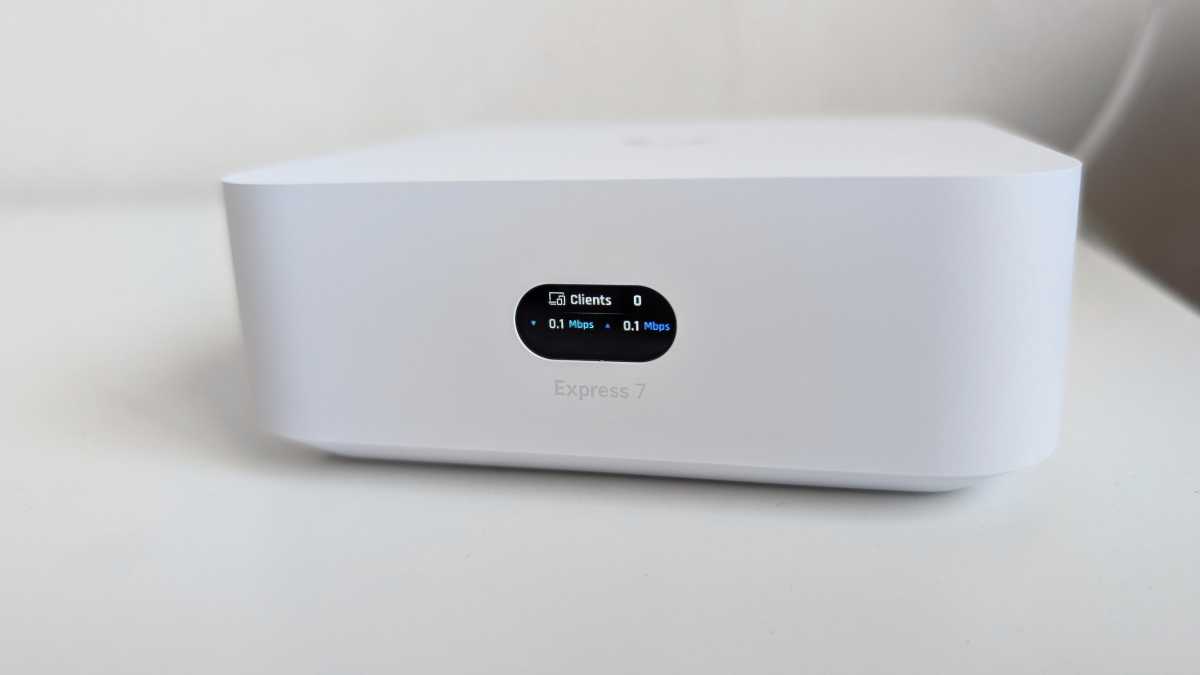
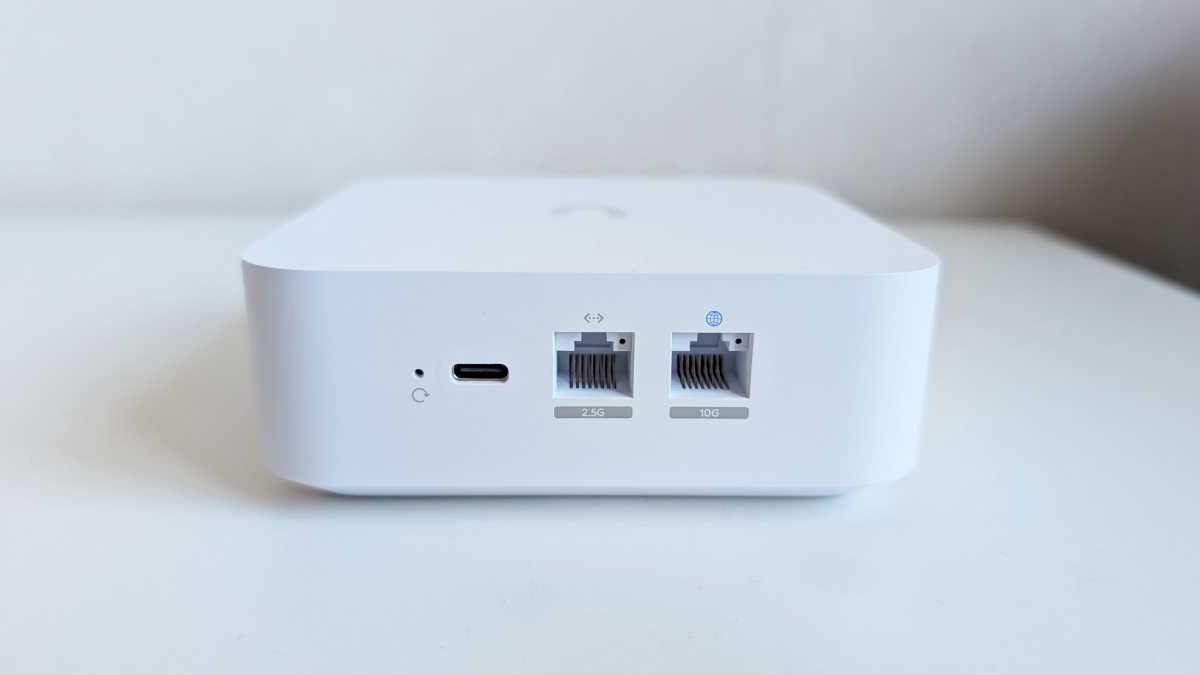
The smallest and simplest of the lot is called the UniFi Express 7, a stylishly designed compact box made of matte white plastic, measuring just under 4.7 in x 4.7 in x 1.67 in. It has a USB-C port for power, two Ethernet ports, a 10 Gbit port for WAN, and a 2.5 Gbit port for LAN, as well as a smart little OLED display on the front, which shows status and speed during normal operation.
Mattias Inghe
The box also includes a braided, flexible Ethernet cable. I’m not quite sure what to use it for, as it’s pretty short. It’s probably meant for connecting to other Ubiquiti devices that you can place right next to it like a small Ethernet switch (for more ports). That might necessary, as you only get one port with a broadband connection.
It’s a relatively powerful Wi-Fi device despite its compact design, with three frequency bands and plenty of gigabit bandwidth on both 5 GHz and 6 GHz. You can connect and manage up to 300 client devices and expand the network with up to 30 other Ubiquiti products, such as switches and access points.
I want to see how it works if you just buy one, set it up at home, and plug the broadband cable into the WAN port. Turns out it works perfectly well as a standard “dumb” router, too.
With the UniFi mobile app, it’s easy to identify and configure the router for basic use. You need to create an account with UniFi and link the router to it, but it’s straightforward and it allows for convenient remote management.
Once you pick a name and a password for your SSID, you’re ready to connect and browse. The first thing the router does is perform an automatic firmware update, but it’s quick. From that point forward, it keeps itself updated automatically on an ongoing basis.
The performance is good but not fantastic. I get just over a gigabit of speed in the same room as a Wi-Fi 7 laptop with 2×2 MIMO support at 6 GHz. It could have been a bit higher, but it’s still impressive given the UniFi Express 7’s compact design, which must involve certain compromises for the antennas.
The speed drops significantly with distance from the router and when there are walls in between, but even at longer ranges it performs acceptably, with short response times.
Mattias Inghe
We’re talking about tests at 6 GHz here, which I can easily check in my Wi-Fi interface. If I run all three frequencies on a single SSID, the system automatically allocates frequencies per device, providing greater range. However, it seems to prefer 5 GHz over 6 GHz, even for clients with full Wi-Fi 7 support. Surprisingly, the range isn’t nearly as good. It’s more like that of a cheap Wi-Fi 5 or Wi-Fi 6 router.
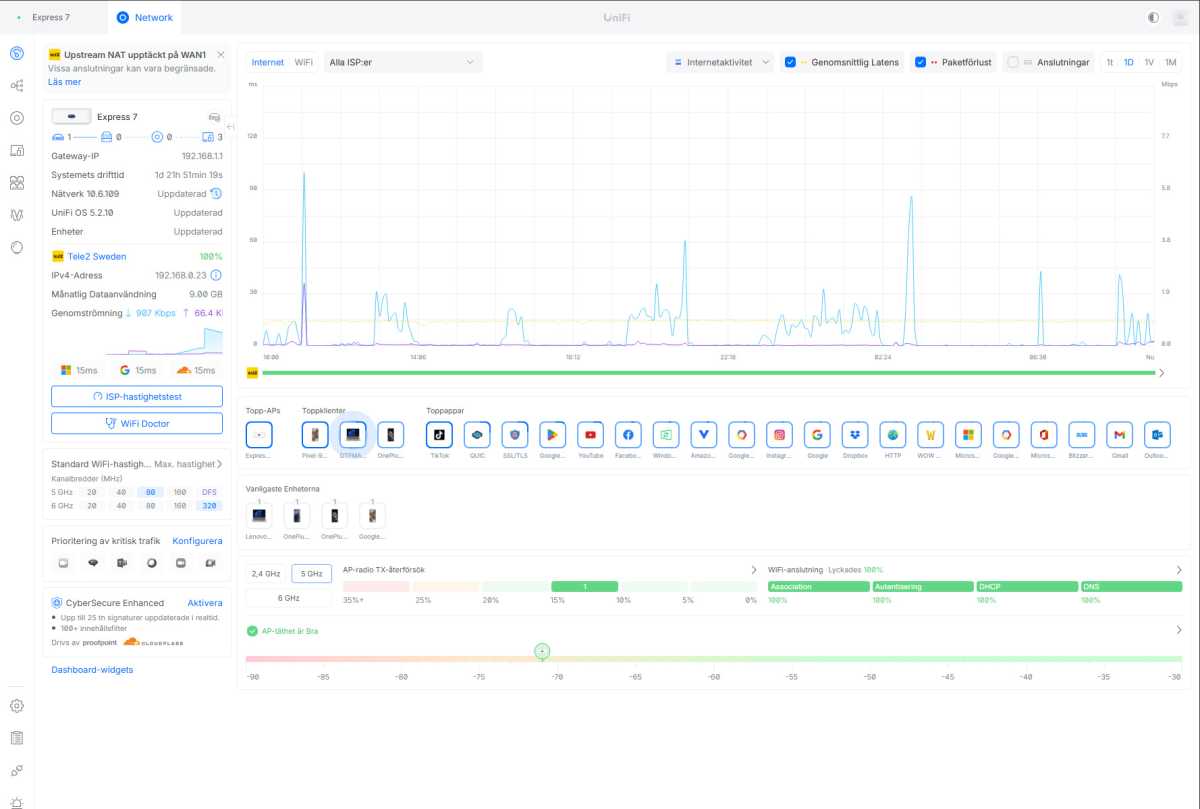
In the app (particularly via the web interface), you have full control over absolutely every setting for both the wireless network and the network in general. This is far more than most other home routers offer.
You can freely create several separate SSIDs, choose whether to grant full network access, or set up a browsing hotspot (the interface never mentions the term guest network, but that’s what it means). You can also select security protocols and frequency bands for each one.
My solution to the poor 5G range was to manually create a 6G SSID combining 6 GHz with 2.4 GHz and a 5G SSID combining 5 GHz with 2.4 GHz for older devices. I had to make do with 2.4 GHz speeds in several rooms on the 5 GHz network in a single-story house. That’s enough, but it’s not ideal. The best solution is to get more access points and expand the Wi-Fi that way. The UniFi Express 7 is also sold in packs of two and three, so you can set up a mesh network with them.
You can also restrict these Wi-Fi networks to specific access points if you have several. This way you can set up a private Wi-Fi network for yourself, a separate 2.4 GHz SSID for your IoT devices, and a faster but isolated guest network (with or without a portal page).
You can set up web-based password access, time-limited voucher access, or even charge guest users via integrations like PayPal and Stripe. The fact that they’re available is noteworthy. It really is a fully-fledged, commercial-grade platform – or close to it – that powers this little router. I don’t know enough about enterprise networks to say whether it reaches that level in terms of functionality, but it certainly packs a lot of features.
Mattias Inghe
There’s also signature-based intrusion and malware protection, content filtering, website blocking, and ad blocking. It works like parental controls on other routers without being explicitly labeled as such.
I didn’t get a high level of security by default, even on my main network. For that I had to go into the Wi-Fi settings, select Advanced, and scroll down to Security Protocol to choose WPA2 or WPA3. By default it’s set to Open, even though it requires a login when I connect. I’m unclear on what this means.
In the same Advanced section, there’s a host of other detailed settings that most users should steer clear of. However, a few might be worth keeping an eye on such as MLO, which provides a faster connection to Wi-Fi 7 devices because it enables the combination of frequency bands.
UniFi isn’t for everyone. All of the settings and features can quickly become overwhelming–perhaps even risky for anyone unfamiliar with network architecture, terminology, and technology.
That said, it’s a high-quality router with good performance and range. It’s capable of handling most of what you want to do automatically. And you can also make use of its more advanced features. If you have the time and patience to learn how to use it like a true professional, it’s well worth the money.

Product name: Ubiquiti UniFi Express 7
Tested: October 2026
Contact: Ubiquiti
Wireless protocols: Wi-Fi 7
Frequency bands: 2.4 GHz 5 GHz 6 GHz
Wi-Fi capacity: 688 4,300 5,700 Mbit/s
Connections: 1 x 10 Gigabit WAN, 1 x 2.5 Gigabit LAN, USB-C for power
Wireless security: WPA, WPA2, WPA3
File server/printer server: No/No
Other: Status screen, guest network, parental controls, IoT network, VPN (client, server, Teleport), mesh support, access control, malware protection, and more
User interface: Web, app
Remote administration: Yes
Dimensions: 11.7 x 11.7 x 4.25 cm
Price: $199 (single unit)
For a laptop with 2 x 2 Wi-Fi 7, 6 GHz:
3 m: 1,291 Mbit/s
10 m, 1 internal wall: 443 Mbit/s
15 m, 2 internal walls: 104 Mbit/s
Rating: 4 out of 5