

Apple’s first touchscreen MacBook Pro is now on sale. Officially called MacBook Pro with PROLED XDR Display, the new lineup went on sale on November 6, 2026, with the first preorder deliveries arriving the same day.
The biggest changes include Dynamic Island, a smaller and lighter enclosure, and a new 16TB maximum SSD option on M5 Max configurations. The display adds Adobe RGB support and higher peak brightness while retaining a maximum 120Hz refresh rate. Other features include up to 128GB of RAM, Thunderbolt 5, Wi-Fi 7 and audio with a claimed 50% deeper bass.
The touchscreen models retain the same chip families, memory capacities and advertised battery endurance as their equivalent non-touch M5 models, making this primarily an upgrade to the display, design and how users interact with their Mac. U.S. starting prices carry a $400 premium over equivalent non-touch versions, with the 14-inch M5 Pro starting at $2,899 and the 16-inch M5 Max starting at $4,799.
The processor generation, maximum RAM, Thunderbolt generation, Wi-Fi/Bluetooth versions and Apple’s battery-life ratings haven’t changed, but there is a lot that is different.
| Change | New PROLED XDR models | Non-touch M5 models |
|---|---|---|
| Display technology | Tandem OLED PROLED XDR | Mini-LED Liquid Retina XDR |
| Touchscreen | Standard Multi-Touch input | No |
| Peak brightness | 2,000 nits peak HDR and outdoor SDR; sustained full-screen brightness remains up to 1,000 nits | 1,600 nits HDR; up to 1,000 nits SDR outdoors |
| Colour and contrast | P3 plus Adobe RGB; quoted 10,000,000:1 contrast | P3; quoted 1,000,000:1 contrast |
| Screen dimensions and resolution | 14.2-inch, 3024×1986; 16.3-inch, 3472×2266 | 14.2-inch, 3024×1964; 16.2-inch, 3456×2234 |
| Camera cutout and interface | Dynamic Island | Notch |
| Portability | 14-inch: 1.38–1.40kg; 16-inch: 1.82–1.84kg; both thinner | 14-inch: 1.60–1.62kg; 16-inch: 2.14–2.15kg |
| Maximum storage | 16TB with either M5 Max GPU configuration | 8TB with M5 Max |
| Camera stabilisation | Adds advanced video stabilisation | Existing computational video features |
| Speakers | Redesigned system; Apple claims 50% deeper bass | Six-speaker system |
To see how the MacBook Pro models compare, read our Best Mac guide where we compare every Mac and MacBook or to find out more about Apple’s whole range of Mac laptops read: MacBook Pro vs MacBook Air vs MacBook Neo.
Deliveries and retail availability begin Friday, November 6, through Apple Stores and Apple Authorised Resellers. Apple announces an initial rollout covering 30 countries and regions.
Apple has introduced a more expensive touchscreen range alongside the existing models. The new range carries a $400 starting-price premium over every equivalent non-touch M5 model. The premium does not buy a newer processor generation, more base memory or a larger entry SSD.
| Model | Non-touch starting price | PROLED XDR starting price | Difference |
|---|---|---|---|
| 14-inch M5 Pro | $2,499 / £2,499 | $2,899 / £2,899 | +$400 / £400 |
| 16-inch M5 Pro | $2,999 / £2,999 | $3,399 / £3,399 | +$400 / £400 |
| 14-inch M5 Max | $4,099 / £4,099 | $4,499 / £4,499 | +$400 / £400 |
| 16-inch M5 Max | $4,399 / £4,399 | $4,799 / £4,799 | +$400 / £400 |
Wondering if now is a good time to buy a MacBook Pro? Read: Should you buy a MacBook Pro now? M6, touchscreen and older models compared.
You can buy the touchscreen MacBook Pro from Apple and participating Apple Authorized Resellers. You’ll see the best prices right now in the boxes below.
Apple
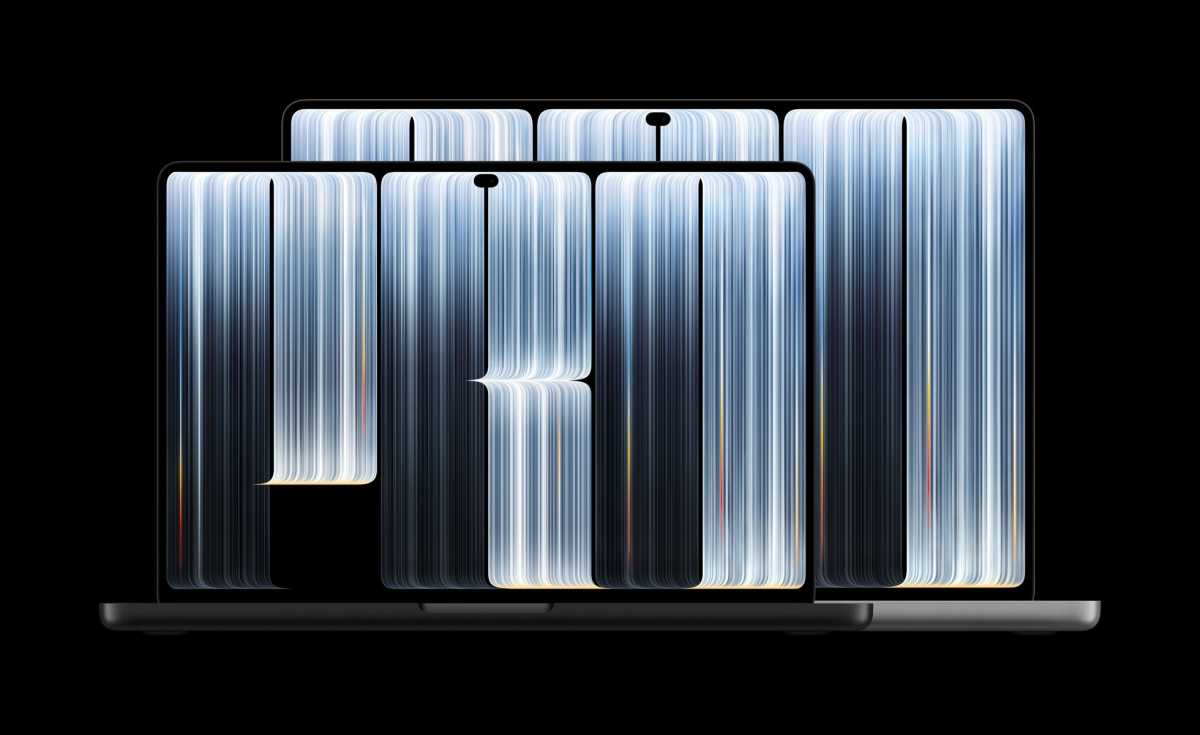
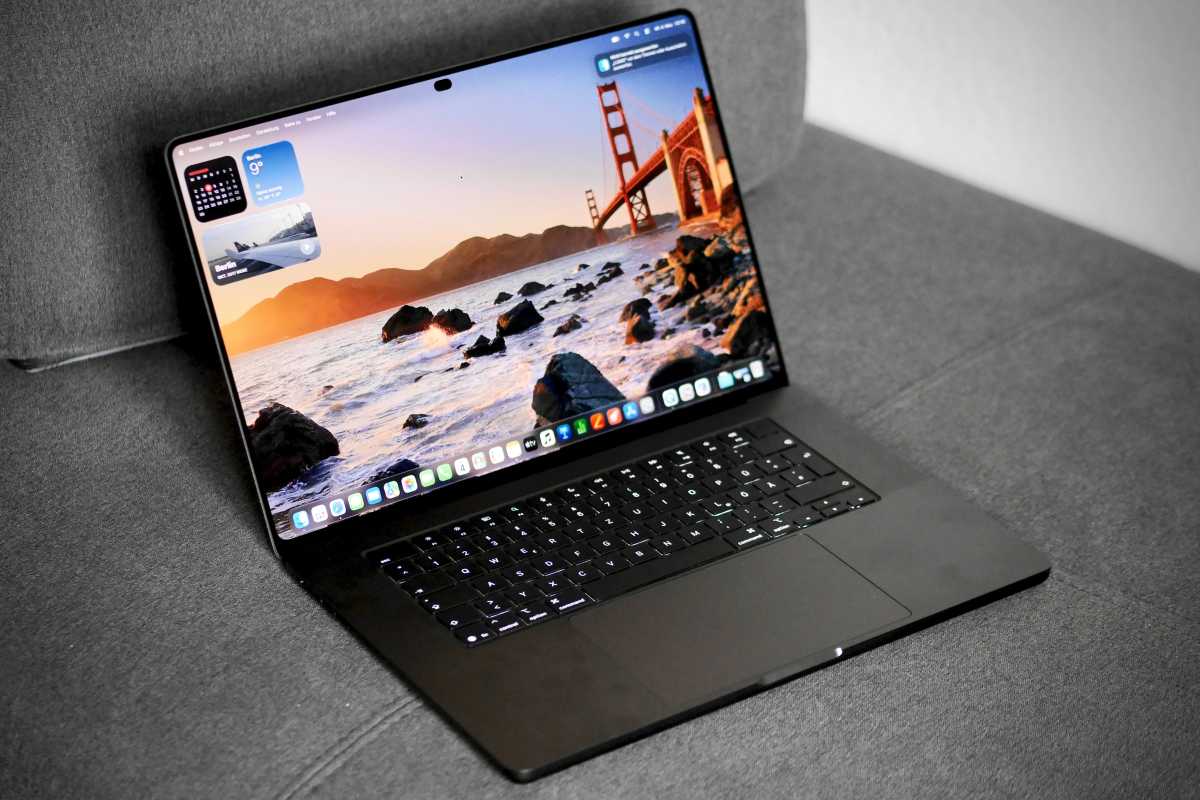
The new MacBook Pro retains a conventional laptop layout, built-in keyboard and Force Touch trackpad. It comes in Space Black or Silver, with an enclosure made from 100% recycled aluminium.
Compared to the existing models, the weight reduction is more substantial than the thickness reduction: the 14-inch models lose 220g, while the 16-inch models lose approximately 310–320g. Slimmer borders also allow the larger screen to grow slightly despite a reduced enclosure footprint.
Apple describes a revised hinge and cooling system. It claims greater hinge stability during touch input and says the cooling design directs warm air away from the display. In our initial testing, we found that ordinary taps caused slight but tolerable screen wobble.
The illuminated Apple logo also returns on the PROLED XDR models. It lights up while the Mac is awake, adjusting to both the built-in display’s brightness and ambient lighting. There is no dedicated switch in System Settings, but Apple provides a Terminal command to disable it.
| Model | Previous width × depth × thickness | New width × depth × thickness | Previous → new weight |
|---|---|---|---|
| 14-inch M5 Pro | 31.26 × 22.12 × 1.55cm | 31.08 × 21.63 × 1.50cm | 1.60 → 1.38kg |
| 14-inch M5 Max | Same | Same | 1.62 → 1.40kg |
| 16-inch M5 Pro | 35.57 × 24.81 × 1.68cm | 35.55 × 24.42 × 1.60cm | 2.14 → 1.82kg |
| 16-inch M5 Max | Same | Same | 2.15 → 1.84kg |
Stephan Wiesend
Both sizes offer M5 Pro and M5 Max configurations, and every PROLED XDR model includes touch. There is no base-M6 configuration in this touchscreen range.
OLED’s benefits concern image reproduction: individually lit pixels, deeper blacks and reduced blooming around bright objects. Touch adds a separate benefit – direct interaction with content. The maximum refresh rate remains 120Hz.
Apple indicates that pixel compensation mitigates ageing and burn-in, rather than establishing that OLED cannot deteriorate. It quotes 1% reflectance for standard glass; nano-texture scatters reflections further.
In his review of the touchscreen MacBook Pro, Roman Loyola found the standard-glass display comfortable to use in direct sunlight.
There is also an oleophobic coating to reduce fingerprints. For cleaning, Apple advises powering down and using a soft cloth appropriately dampened for standard screens; never spray liquid directly onto the display. For nano-texture, use the supplied polishing cloth and follow Apple’s specific care instructions.
| Display specification | 14-inch | 16-inch |
|---|---|---|
| Diagonal size | 14.2 inches | 16.3 inches |
| Native resolution | 3024×1986 | 3472×2266 |
| Pixel density | 254ppi | 254ppi |
| Technology | Tandem OLED | Tandem OLED |
| Sustained full-screen HDR/SDR brightness | Up to 1,000 nits | Up to 1,000 nits |
| Peak HDR brightness | 2,000 nits | 2,000 nits |
| Peak outdoor SDR brightness | 2,000 nits | 2,000 nits |
| ProMotion | 10–120Hz | 10–120Hz |
| Colour | One billion colours, P3 plus Adobe RGB, True Tone | Same |
| Glass | Standard antireflective glass or optional nano-texture | Same |
Touch comes with the 14- and 16-inch PROLED XDR models using M5 Pro or M5 Max; the M6 MacBook Pro and Liquid Retina XDR models have no touchscreen.
Roman Loyola/Foundry
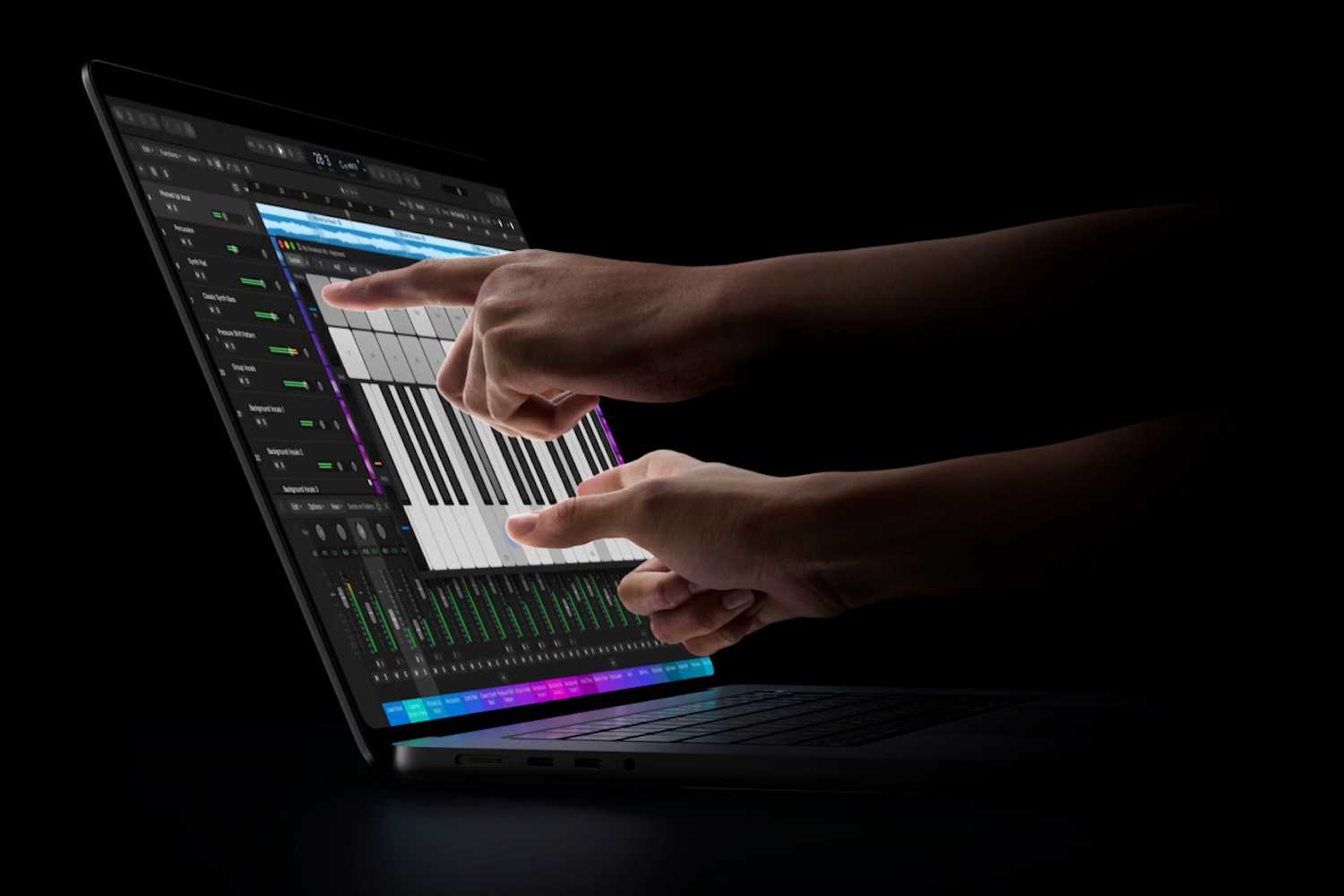
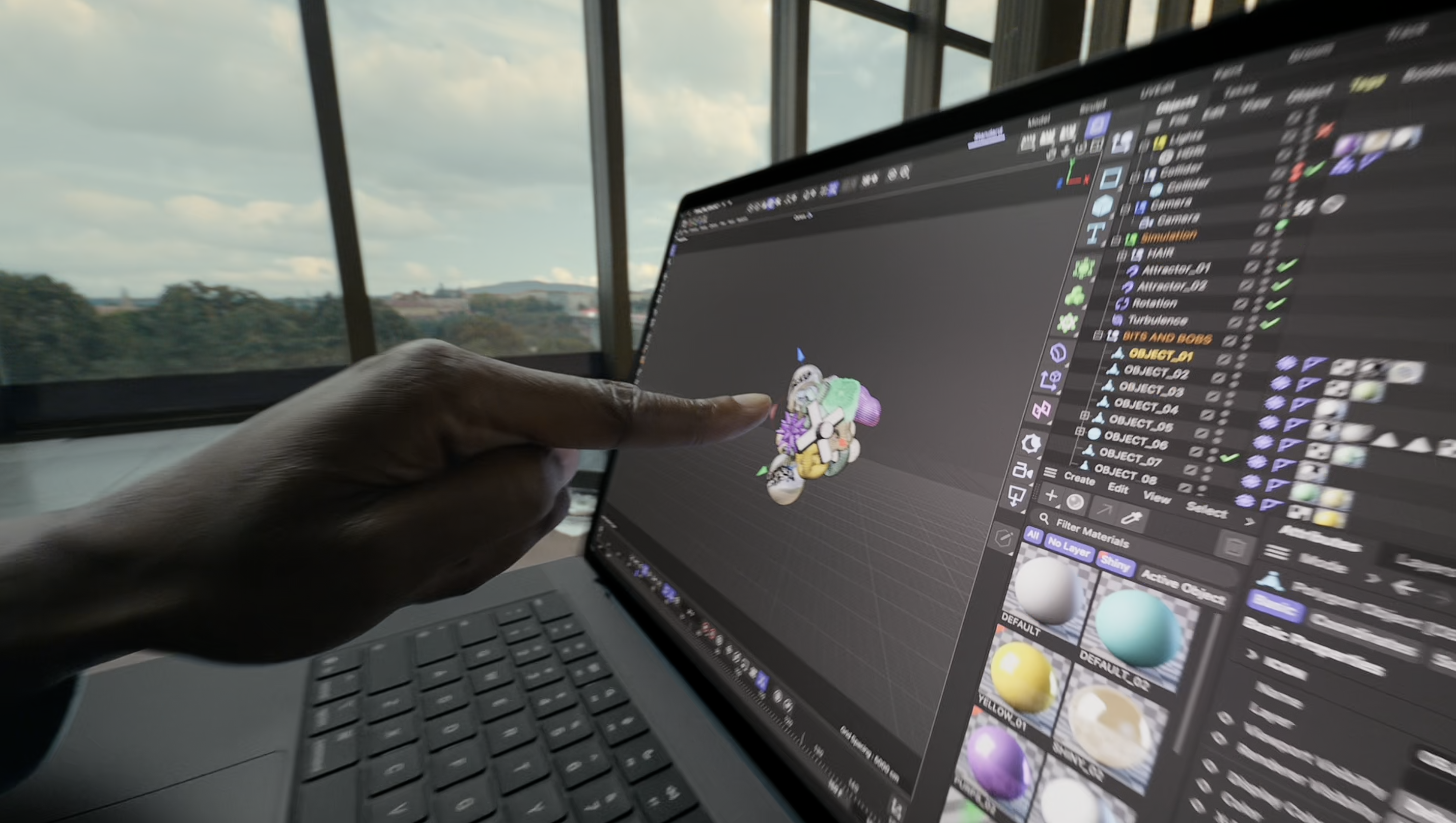
Apple confirms scrolling, pinch-to-zoom, drawing, dragging and dropping, double-tapping a window to fill the screen, and flicking windows into tiled positions. Touch works alongside keyboard and trackpad input.
Dynamic Island provides access to activities and controls. Spotlight’s relocation there requires Siri AI to be available and enabled.
In everyday use, touch offers a direct way to move through documents, enlarge photographs or reposition content.
macOS translates taps into clicks for many existing apps; developers can use gesture APIs for more specialised controls. Apple has begun rolling out Creator Studio updates, which it says will illustrate how developers can use touch. Logic Pro 13 (updated November 5) gained onscreen instruments and drum pads, Final Cut Pro will support direct clip manipulation, and Pixelmator Pro will support drawing and selecting directly on the canvas.
In his first look at the touchscreen MacBook Pro, Macworld’s Roman Loyola found touch responsive, with window controls enlarging and menus gaining extra spacing for fingers. Finder retains familiar Mac behavior: one tap selects an icon; two taps open it.
Some interactions need refinement. Roman found that double-tapping video files could trigger their icon previews instead of opening them. Fingerprints also accumulated despite the oleophobic coating, becoming most obvious when the display was dark. Read our touchscreen MacBook Pro first look for Roman’s hands-on impressions.
In our full review of the touchscreen MacBook, touch worked across the apps Roman Loyola tried, but not in Resident Evil Village or Total War: Warhammer III, including the menus.
Apple indicated that there are forthcoming updates for Microsoft 365, Notion, Canva, Zoom, Lightroom, DaVinci Resolve, Blender, Cinema 4D, ZBrush, Shapr3D and djay Pro later this year. Creator Studio updates are confirmed to be coming in November.
As expected, the processors are carried-over M5 Pro and M5 Max chips. The new models feature the same CPU/GPU options, Neural Engine and memory bandwidth as the equivalent non-touch models.
Our testing found comparable processing performance to the equivalent non-touch M5 Max model.
All have a 16-core Neural Engine and GPU Neural Accelerators. The 18-core CPU comprises six “super cores” and 12 performance cores; the 15-core version has five and 10 respectively.
Apple introduced these chips earlier in 2026. They use third-generation 3nm manufacturing and Apple’s Fusion Architecture, joining two dies into one system-on-chip through advanced packaging. Those are characteristics of the existing M5 Pro/Max generation, not manufacturing upgrades introduced with touch.
For an example of Apple’s older-generation comparisons, it claims 10.9× faster time to first token than M1 Pro for a 14-inch M5 Pro model. Apple’s test used an 18-core CPU/20-core GPU, 64GB RAM and 4TB SSD against an M1 Pro with 10-core CPU/16-core GPU, 32GB RAM and 8TB SSD. The workload was a quantised 14-billion-parameter model, an 8K-token prompt and LM Studio.
Apple made no indication that there was any CPU/GPU performance increase over an equivalent non-touch M5 configuration, or a quantified improvement in whole-system power efficiency.
Separately, Apple has launched the 14-inch MacBook Pro with an M6 chip.
There is no increase in base or maximum memory over the equivalent non-touch M5 models. The M5 Pro starts with 24GB, the 32-core GPU M5 Max has 36GB, and the 40-core version starts with 48GB.
Reaching 64GB with M5 Pro requires the 20-core GPU; reaching 128GB requires the 40-core M5 Max.
More memory can accommodate larger creative projects, more demanding multitasking and larger local AI models.
Entry-level storage capacities are unchanged, but M5 Max buyers can now configure up to 16TB, up from 8TB, with either the 32-core or 40-core GPU.
The PROLED XDR models retain the SSD speed improvements introduced with the M5 Pro and M5 Max MacBook Pro earlier in 2026. Our review of the 16-inch M5 Max model with a 2TB SSD found noticeably faster read speeds than in our previous testing. Apple also claims storage is “up to twice as fast,” but that comparison is between a 16TB M5 Max system and an 8TB M4 Max system; it does not establish doubled performance over the non-touch M5 models.
The camera remains a 12MP Center Stage camera with Desk View and 1080p video recording. Advanced video stabilisation is new, however.
Authentication remains Touch ID. Dynamic Island is an interface feature, not confirmation of Face ID or a TrueDepth camera.
Apple retains a six-speaker system, force-cancelling woofers, Spatial Audio and Dolby Atmos support. Apple claims 50% deeper bass and adds closed-lid audio tuning.
The three-microphone array retains directional beamforming, Voice Isolation and Wide Spectrum modes.
Apple lists video-streaming ratings of 22/20 hours for the 14-inch Pro/Max and 24/22 hours for the 16-inch Pro/Max, the same as the non-touchscreen models.
Our tested 16-inch M5 Max model, with a 40-core GPU and 128GB of memory, lasted approximately 24 hours looping a locally stored video at 150 nits.
Both sizes include:
Apple quotes Thunderbolt/USB4 support up to 120Gb/s and DisplayPort 2.1.
Apple’s N1 wireless chip, Wi-Fi 7, Bluetooth 6 and Thread are included, but they are not touchscreen-model upgrades.
The M5 Pro chip supports three external displays at 6K/60Hz or 4K/165Hz. Alternatively, it can support one 8K/60Hz, 5K/120Hz or 4K/240Hz display, plus a second at up to 5K/120Hz or 4K/200Hz.
The M5 Max chip supports four external displays at 6K/60Hz or 4K/165Hz, or two displays at up to 8K/60Hz, 5K/120Hz or 4K/240Hz.
Apple’s PROLED XDR specifications lists 165Hz for the multi-display 4K configurations, rather than the older 144Hz figure.
| Model / display range | CPU cores | GPU cores | Available memory (GB) | SSD options (TB) | Video streaming (up to hours) | U.S. included adapter | Battery capacity (Wh) | Display resolution (pixels) |
|---|---|---|---|---|---|---|---|---|
| 14-inch M5 Pro PROLED XDR (touch) | 15 | 16 | 24, 48 | 1, 2, 4 | 22 | 70W USB-C | 72.6 | 3024 × 1986 |
| 14-inch M5 Pro PROLED XDR (touch) | 18 | 20 | 24, 48, 64 | 1, 2, 4 | 22 | 96W USB-C | 72.6 | 3024 × 1986 |
| 14-inch M5 Max PROLED XDR (touch) | 18 | 32 | 36 | 2, 4, 8, 16 | 20 | 96W USB-C | 72.6 | 3024 × 1986 |
| 14-inch M5 Max PROLED XDR (touch) | 18 | 40 | 48, 64, 128 | 2, 4, 8, 16 | 20 | 96W USB-C | 72.6 | 3024 × 1986 |
| 16-inch M5 Pro PROLED XDR (touch) | 18 | 20 | 24, 48, 64 | 1, 2, 4 | 24 | 140W USB-C | 100.0 | 3472 × 2266 |
| 16-inch M5 Max PROLED XDR (touch) | 18 | 32 | 36 | 2, 4, 8, 16 | 22 | 140W USB-C | 100.0 | 3472 × 2266 |
| 16-inch M5 Max PROLED XDR (touch) | 18 | 40 | 48, 64, 128 | 2, 4, 8, 16 | 22 | 140W USB-C | 100.0 | 3472 × 2266 |
| 14-inch M5 Pro Liquid Retina XDR (non-touch) | 15 | 16 | 24, 48 | 1, 2, 4 | 22 | 70W USB-C | 72.4 | 3024 × 1964 |
| 14-inch M5 Pro Liquid Retina XDR (non-touch) | 18 | 20 | 24, 48, 64 | 1, 2, 4 | 22 | 96W USB-C | 72.4 | 3024 × 1964 |
| 14-inch M5 Max Liquid Retina XDR (non-touch) | 18 | 32 | 36 | 2, 4, 8 | 20 | 96W USB-C | 72.4 | 3024 × 1964 |
| 14-inch M5 Max Liquid Retina XDR (non-touch) | 18 | 40 | 48, 64, 128 | 2, 4, 8 | 20 | 96W USB-C | 72.4 | 3024 × 1964 |
| 16-inch M5 Pro Liquid Retina XDR (non-touch) | 18 | 20 | 24, 48, 64 | 1, 2, 4 | 24 | 140W USB-C | 100.0 | 3456 × 2234 |
| 16-inch M5 Max Liquid Retina XDR (non-touch) | 18 | 32 | 36 | 2, 4, 8 | 22 | 140W USB-C | 100.0 | 3456 × 2234 |
| 16-inch M5 Max Liquid Retina XDR (non-touch) | 18 | 40 | 48, 64, 128 | 2, 4, 8 | 22 | 140W USB-C | 100.0 | 3456 × 2234 |
Is touch worth the premium? Our full review found that the PROLED XDR display’s image quality is the strongest reason to pay extra. Touch is a useful addition, but the richer colors, deeper blacks and brighter OLED screen make this an appealing upgrade even if you prefer using the keyboard and trackpad. Whether those improvements and the lighter design justify the premium depends on how much you use the built-in display.
Which model? The 14-inch M5 Pro is the most accessible and portable option. Choose the 16-inch M5 Pro for a larger workspace and Apple’s longest battery rating. M5 Max makes sense when GPU performance, memory bandwidth, more than 64GB RAM or storage above 4TB serves a demonstrated workload; it is unnecessary simply to obtain touch.
Should existing owners upgrade? For owners of an M5 Pro or M5 Max MacBook Pro, this is principally a screen and portability decision. M4 owners should similarly assess the display benefits against the cost. Older Apple-silicon and Intel owners may gain more broadly, but performance improvements vary by application.
This or an iPad Pro? Choose the MacBook Pro when desktop Mac applications, its keyboard, ports and professional workflows are essential. Choose an iPad Pro when a handheld tablet and supported Apple Pencil workflow are central. The touchscreen MacBook Pro supports finger input but does not support Apple Pencil or third-party styli. It retains a conventional laptop design.


